Your team chat says one thing. Your time log says otherwise. And suddenly, you’re wasting hours switching tabs instead of getting work done.
The fix is simple: stop separating communication from tracking. An integrated workflow cuts context-switching, improves accountability, and makes productivity measurable.
Why Separate Tools Kill Productivity
Using disconnected chat and time tools creates workflow friction, missed updates, and inaccurate reporting. Teams work faster when communication and tracking live in the same environment.
Most teams still juggle messaging apps, spreadsheets, and disconnected tracking software. It feels normal — until deadlines slip, billable hours go missing, and nobody remembers where decisions were made.
Every tool switch costs attention. When employees leave chat to log time or open another dashboard to track tasks, focus breaks.
Common workflow problems include:
- Lost project discussions buried in chat threads
- Inaccurate time logs entered hours later
- Manual reporting headaches
- Missed billable hours for freelancers and agencies
- Reduced visibility into real project performance
A Freelance hour tracker only works when people actually use it consistently. If logging time feels like extra work, adoption drops fast.
The Real Cost of Context Switching
Constantly moving between chat, task boards, and tracking apps reduces focus and increases operational waste. Integrated systems reduce friction and improve execution speed.
Research consistently shows that context switching damages concentration. In practical terms, that means slower task completion, more mistakes, and weaker collaboration.
Think about a common workflow:
A designer receives feedback in chat → checks a task board → opens a Time tracking app → manually starts a timer → forgets to stop it.
That’s not efficient. That’s workflow leakage.
Instead, teams need a streamlined system where tasks, communication, and tracking connect naturally.
How an Integrated Workflow Actually Works
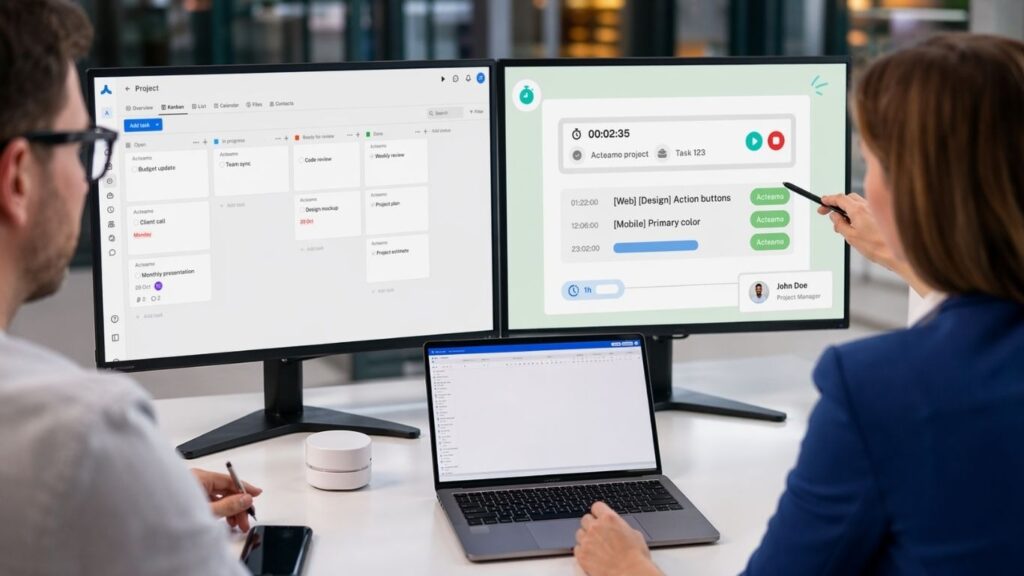
The best workflow combines task management, communication, and time tracking into one connected process. This improves reporting accuracy, team visibility, and operational efficiency.
Here’s a simple framework modern teams can use:
1. Assign Work Clearly
Create tasks with deadlines, ownership, and project context.
2. Collaborate Inside the Task
Keep feedback, approvals, and updates connected to the actual work instead of scattered across chat channels.
3. Track Time Instantly
Use a Time tracker free solution or a built-in timer so tracking happens naturally while working.
4. Measure Performance
Review reports, identify bottlenecks, and optimize workloads based on real data.
This approach is especially valuable for freelancers, remote teams, agencies, and startups using Open source time tracking systems or searching for a reliable Timer app for Windows.
What to Look for in a Smarter Time Tracking Setup
Effective tracking software should reduce admin work, not create more of it. Look for automation, usability, and workflow integration.
Before choosing your next tracking tool, prioritize these features:
Real-time time logging
Task-based tracking
Integrated team communication
Clear reporting dashboards
Cross-platform accessibility
Low-friction user experience
A great Time tracking app doesn’t just count hours — it reveals how work actually flows.

Simplify Workflows with Acteamo
If your team is tired of juggling disconnected apps, Acteamo offers a smarter way forward. By combining project management, collaboration, chat, and time tracking in one workspace, Acteamo helps teams reduce friction, stay aligned, and work with greater clarity. Whether you need Open source time tracking, a practical Timer app for Windows, or a flexible Time tracking app, Acteamo is built to make productivity simpler.
FAQ: Workflow & Time Tracking
1. What is the best workflow for freelancers managing billable hours?
The most effective setup combines project management, communication, and a Freelance hour tracker in one system to reduce manual logging and missed invoices.
2. Are free time tracking tools good enough for teams?
Yes — a solid Time tracker free platform can work well for startups, freelancers, and small teams if it includes reporting, collaboration, and task visibility.
3. Why do teams prefer integrated time tracking platforms?
Integrated platforms eliminate context switching, improve reporting accuracy, and keep work communication tied directly to execution.